ComfyWorkbench - Full Version
A downloadable tool for Windows
ComfyWorkbench - Full Version
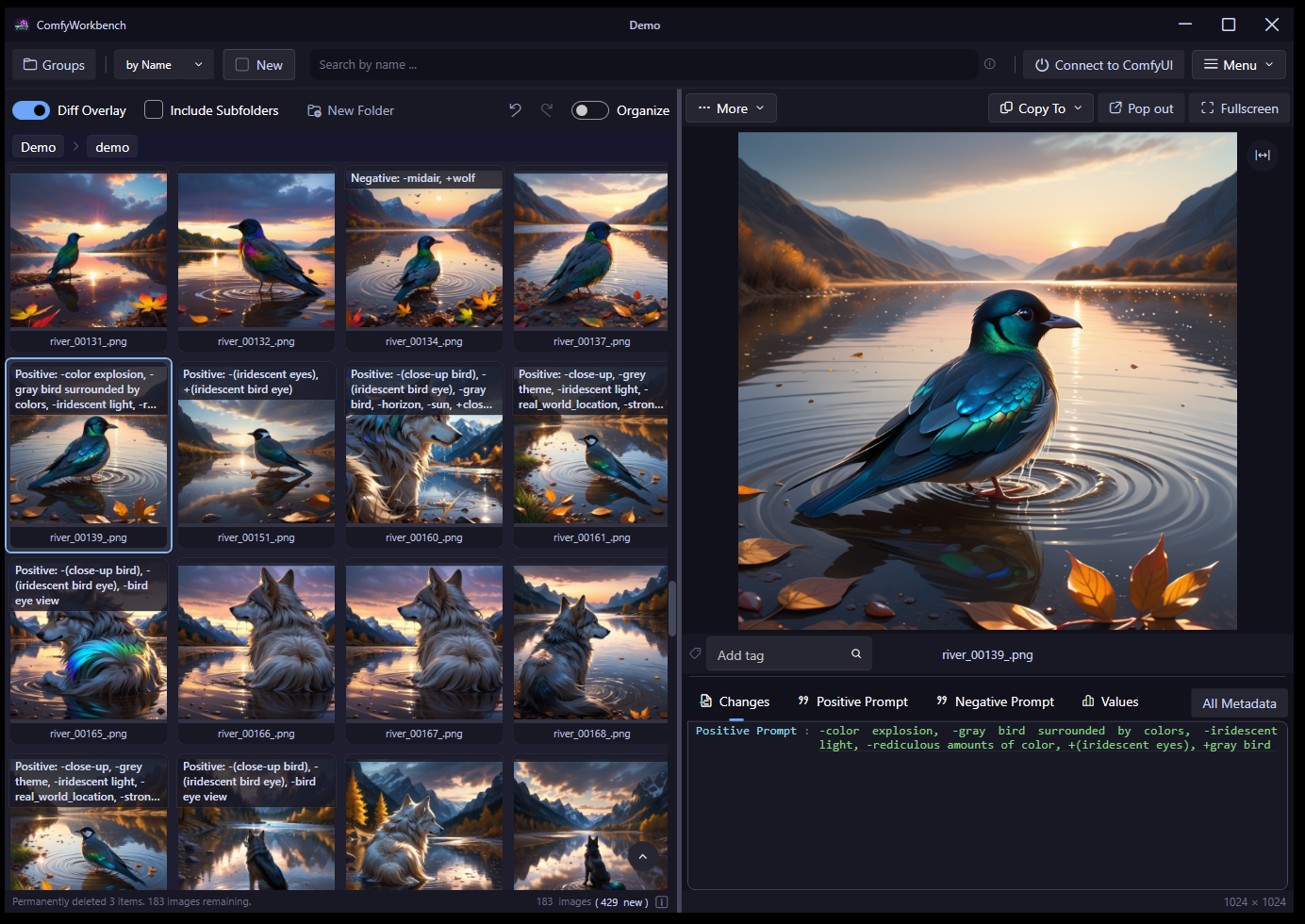
Queued up 200+ image generations and not sure what changed between the good and bad ones afterwards?
Want to delete, rename, move, sort, and compare images without losing track?
Want to quickly find single or groups of images in your collection?
Then ComfyWorkbench is built for you!
No limits, no ads!
(The video is outdated and still with the old look)
We recommend you try the free version first, to check if everything works on your machine! free-version
Image Features
(also available in the Free-Version)
- Automatically track new images.
- Accident-safe multi-selection: never lose your selection again with an accidental misclick, including undo/redo support.
- Rename and move many files at once: re-organize your images, even supporting prefix or regex patterns.
- Search by name or automatically created name clusters. With AND/OR support and more!
- Advanced keyboard shortcuts and navigation between images.
- Image Slideshow
- Designed to handle large amounts of images (tested with 15k+).
- Manage multiple locations without loosing your progress.
- Drag and drop images directly from ComfyWorkbench into ComfyUI, a new folder, or other apps.
- Many cool additional features are included in the Full-Version, e.g. Combining images into wallpapers or scanning for duplicate images.
- Support image file formats: PNG, WEBP, JPG, JPEG, BMP, GIF, ICO, AVIF and WBMP.
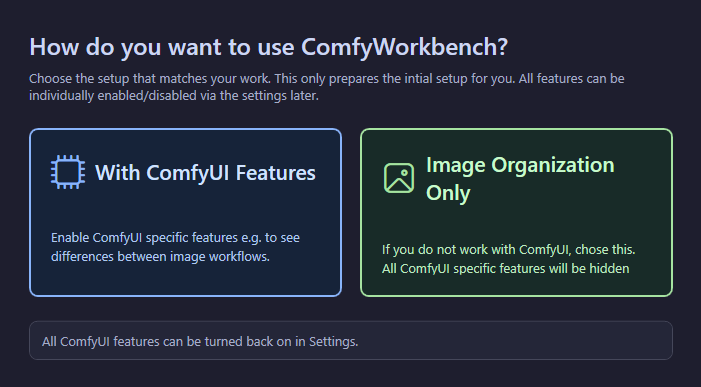
ComfyUI specific Features
(also available in the Free-Version)
- Direct workflow insights.
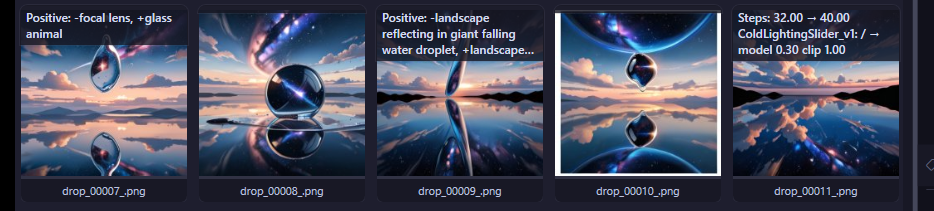
- Diff Overlay: see model, prompt differences between successive images at a glance.
- Values: easily see and compare model or LoRA settings between images.
- Add custom analysis and value extraction from the ComfyUI workflow - extremely customizable!
- Fast delete flow: clear weak generations quickly.
- Full metadata access: view complete workflow information from any image.
- Add custom scripts/exe calls to be called on all selected images and many more.
- Remove all workflow data from an image
- With a local web-based instance of ComfyUI it also supports:
- Queue Management: remove specific queue items or reorder the queue
- Upscale images with one-click (requires upscale model)
- basic support for A1111 generated images
- Supports workflow extraction for: PNG, WEBP, JPG.
Full version Features
(one-time payment, lifetime unlock - including updates)
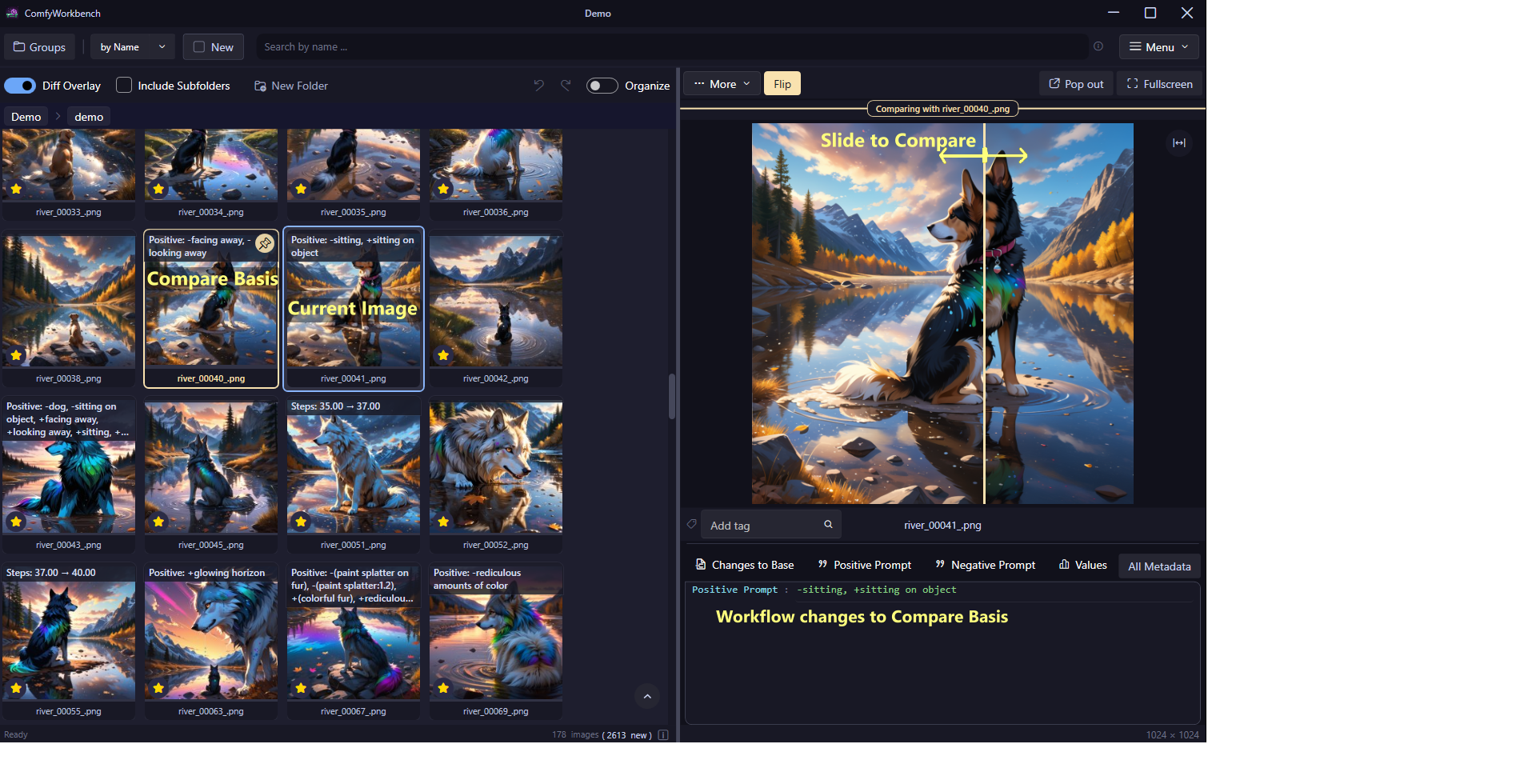
Compare mode
Compare candidates side-by-side and make faster decisions when refining images.
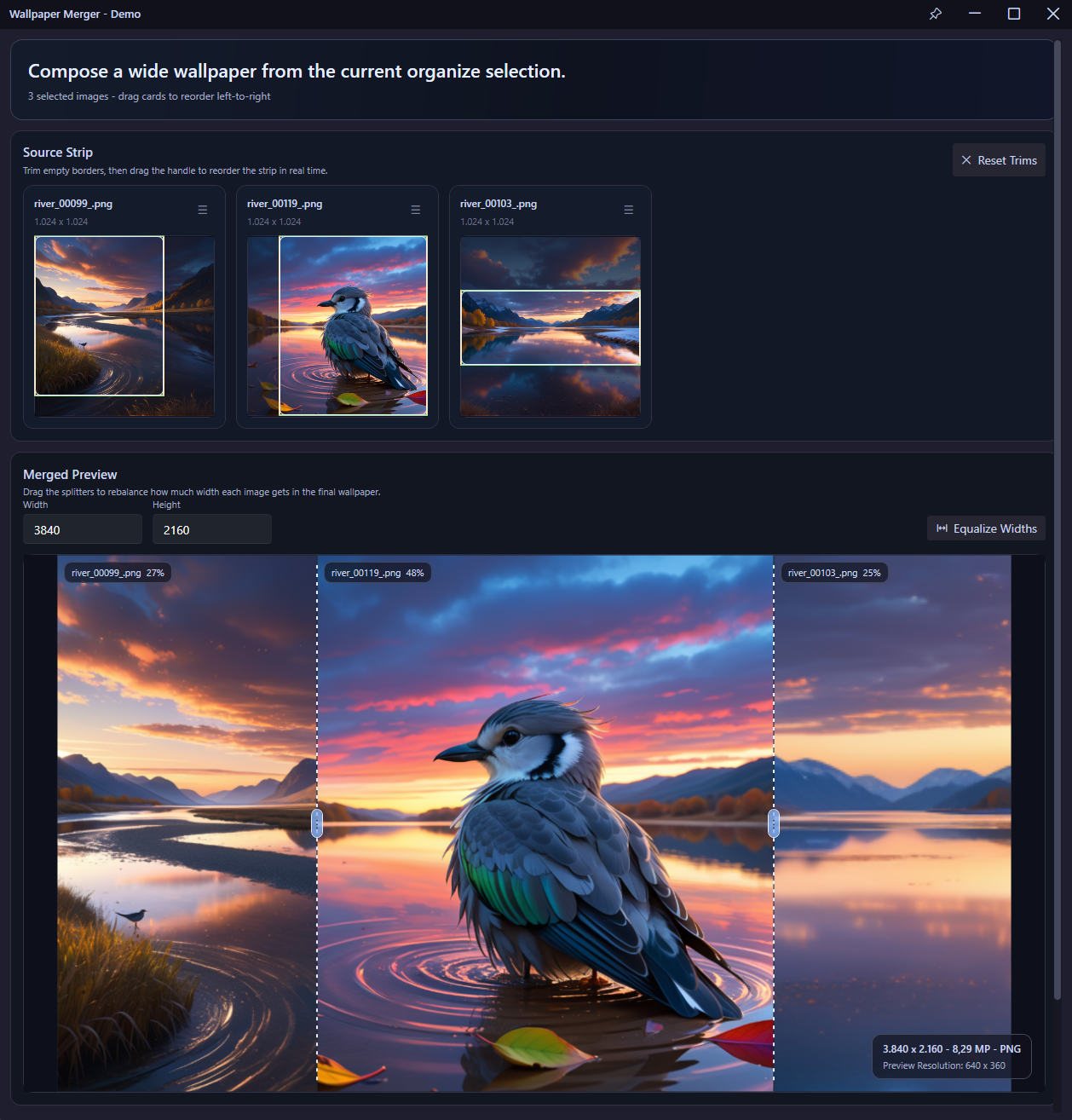
Combine images into Wallpapers
Quickly create wallpapers from selected images, with resize and area adjustments.
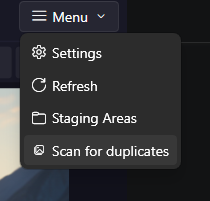
Scan for duplicate Images
Find duplicate images with strict mode or confidence threshold, with the option to clean them up directly.
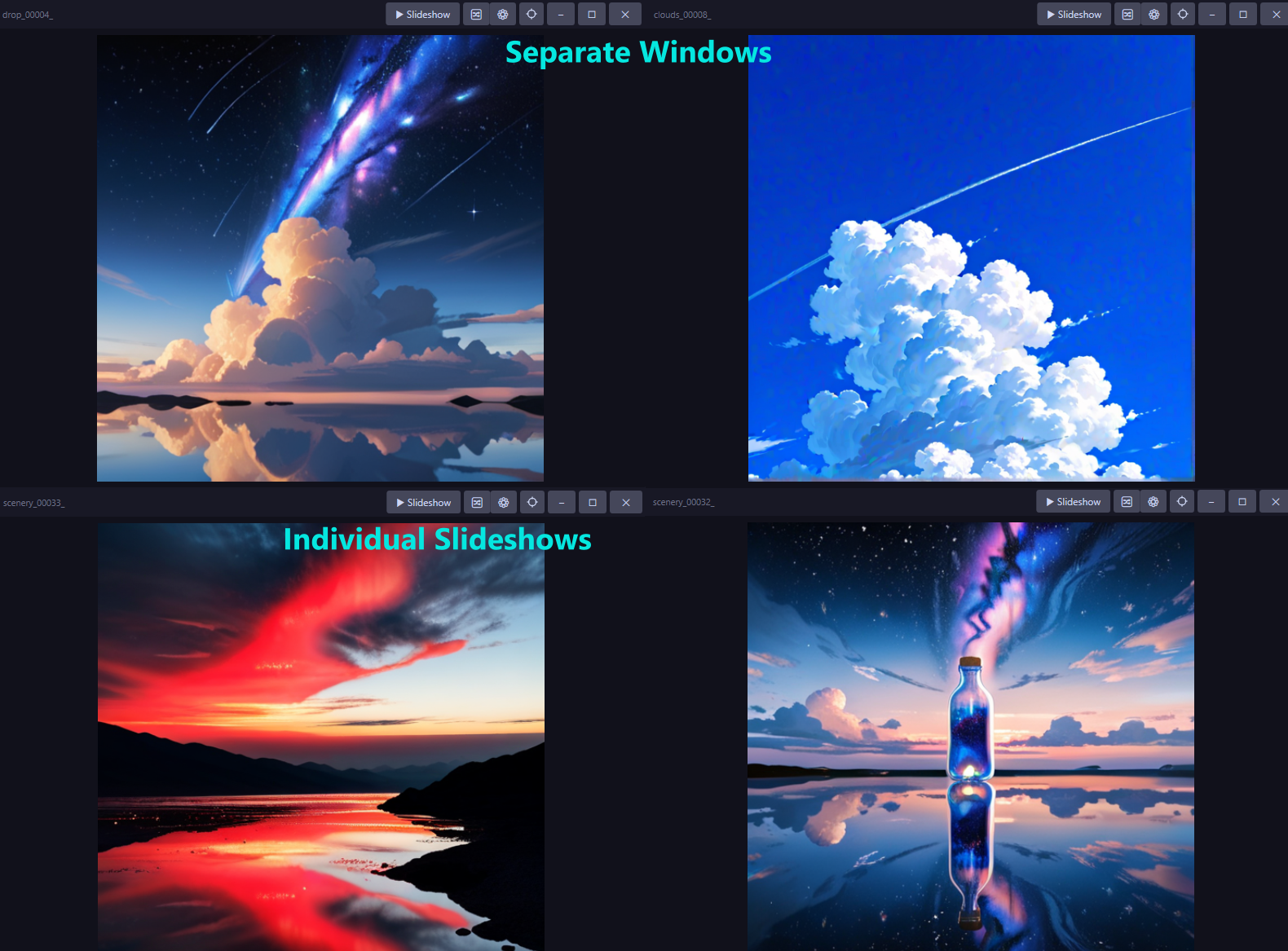
Pop-out Slideshows
Open separate image picture frames or slideshows that respect your current search/filter!
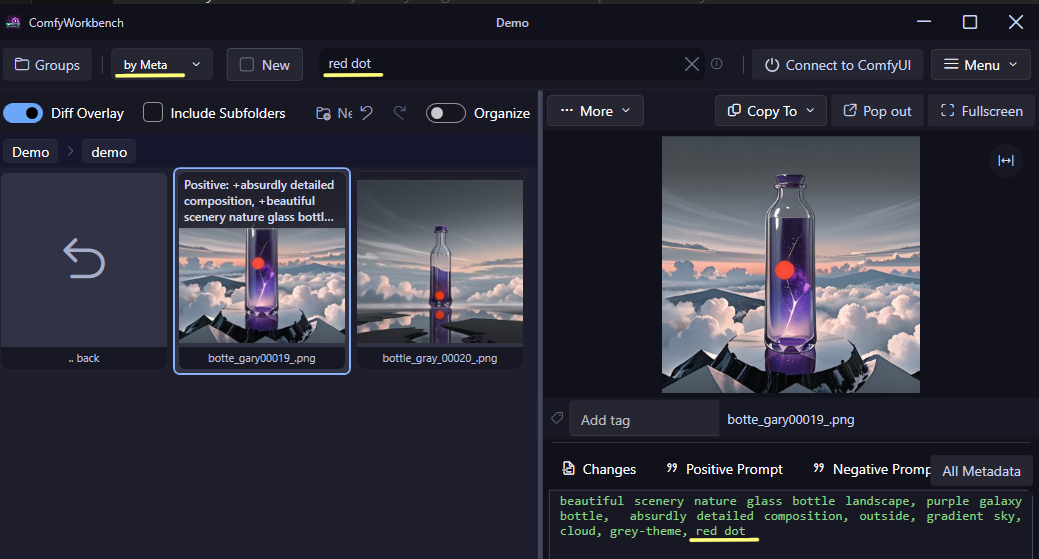
- Search Workflow Meta-Data and Tags, including advanced searches like !tag:"sometag" AND name:"file_" AND extract:"Positive Prompt":"something"
- Tag your images.
- Favorite filename groups and tag groups.
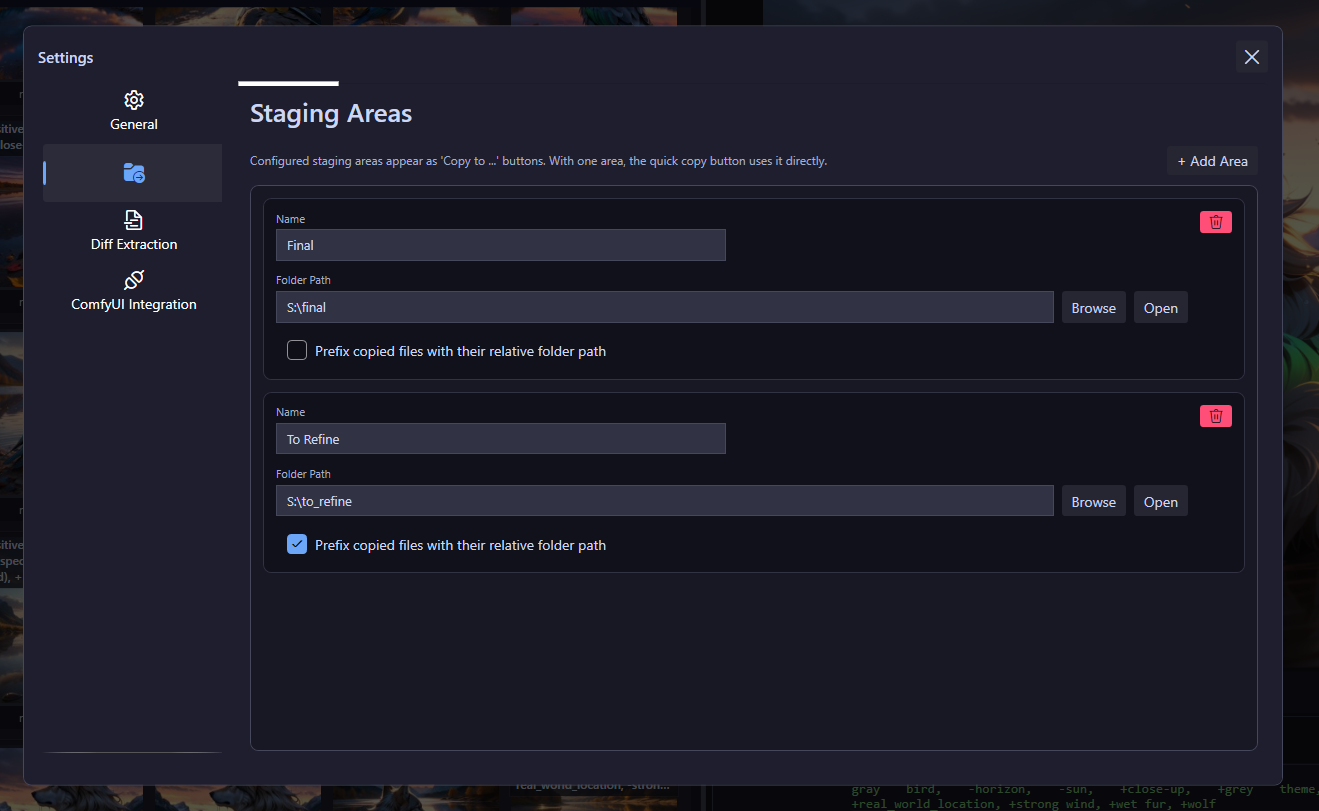
- Staging areas: One-click copy to e.g. a "Final" folder
- Adjustable slideshow timing.
- Buys us more coffee! ☕
- (Priority bug-fix and feature-request consideration.)
Always try the Free Edition first to make sure ComfyWorkbench is fully compatible with your machine and workflows.
100% Local and Private
- Runs locally with no ads.
- GDPR-conscious approach. All App-managed cache data is fully encrypted. *
- Designed to also support professional NDA-bound workflows without restrictions. *
Note: * drag and drop naturally exposes the full path of the dragged file to the OS and the target app. For full GDPR compliance, ensure the used hard drive is encrypted as well, e.g. using BitLocker.
Current limitations
- Currently Windows (x64) only.
- Performance tests with low RAM PCs were limited.
- Some custom nodes may not work properly yet, though almost all should be possible to use with the custom extractions. (Request specific node support via GitHub issue tracker).
Requirements
- Windows 10 or 11.
- 8 GB RAM minimum (lower amounts not fully tested).
Try it yourself!
If your ComfyUI output folder is becoming chaos, start with ComfyWorkbench Free. Point it to your folder, review with Diff Overlay, and keep only the images that matter.
Legal Disclaimer
ComfyWorkbench is not affiliated in any way with ComfyUI. ComfyWorkbench is provided as is, with all faults.
ComfyWorkbench © Backstube-Gaming 2026, all rights reserved.
FAQ (click here)
Is the full/paid version of ComfyWorkbench a subscription?
No. You buy the full version once, and it is yours forever, including all future updates.
Why is ComfyWorkbench showing up as untrusted/unrecognized?
ComfyWorkbench is not backed by a large organization, and acquiring a trusted code-signing certificate is expensive. It shows as untrusted because Windows does not know us as a verified publisher yet. (If you want, you can verify the authenticity of the app using sigstore verify)
Why is ComfyWorkbench Windows-only for now?
We are working on macOS and Debian/Ubuntu support too, but we have not found an approach that meets all requirements yet.
Is ComfyWorkbench private?
Yes. The only internet connection is an optional update check against itch.io. No user or usage data is collected. (The download/payment process on itch.io may collect personal data, but that data is never transferred to or used by us.)
Do you support custom node XXX?
Usually yes, if you add a custom diff extraction under Settings > Diff Extractions. We will continue adding out-of-the-box support for widely used nodes. If something does not work yet, request it via Issue Tracker.
Can I use ComfyWorkbench to organize non-ComfyUI image collections?
Yes. ComfyWorkbench's organizational features (delete, rename, move, tag) work with many kinds of image files! (PNG, WEBP, JPG, JPEG, BMP, GIF, ICO, and WBMP) The ComfyUI-Workflow specific features like diff-overlay and details inspections will just be empty. Video formats and animated GIF are not supported though.
What is the GDPR or NDA-bound work we mentioned?
Some professionals use ComfyUI in NDA-bound projects (for example, not-yet-released product advertising). GDPR is a European data protection regulation. For most users, ComfyWorkbench already fits these constraints. For stricter requirements, see the Compliance/Privacy guide.
What happens if I lose a manual password for a location?
Remove the location and add the path again. You only lose tags (full version) and location-specific settings. Thumbs and workflow data are re-generated automatically.
Does ComfyWorkbench prevent opening a location with a manual password?
It only prevents opening that location inside ComfyWorkbench (settings/tags stay inaccessible there). The folder itself can still be opened in Windows.
Purchase
In order to download this tool you must purchase it at or above the minimum price of $5.99 USD. You will get access to the following files:
Development log
- ComfyWorkbench Version 1.1.217 days ago
- Major Update 1.1.042 days ago
- Release-Notes 1.0.2 (beta)62 days ago
- First public release of ComfyWorkbench!68 days ago
Leave a comment
Log in with itch.io to leave a comment.